Foxglove v2.9.0
🤝 All of your settings in one place
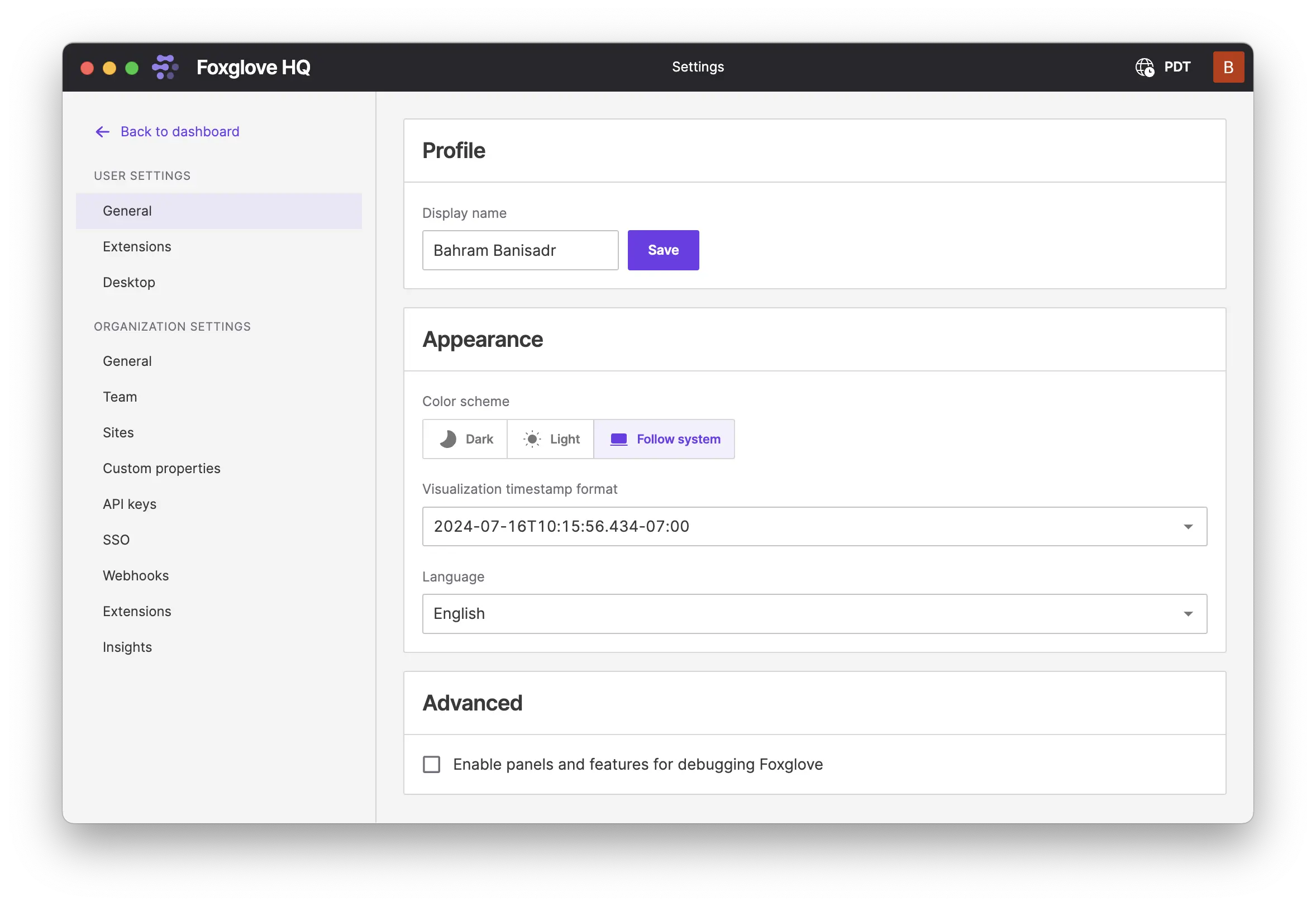
We've consolidated all settings in one place to make configuring Foxglove easier. Navigate to the Settings page, where you can manage your user settings like color scheme, install local extensions, and browse available public extensions. Organization admins can manage organization settings like billing, custom properties, and API keys.
Admins for Team and Enterprise organizations can also manage private extensions for your organization from the Organization Extensions page, and also manage webhooks.
🔏 Customize security with single sign-on options
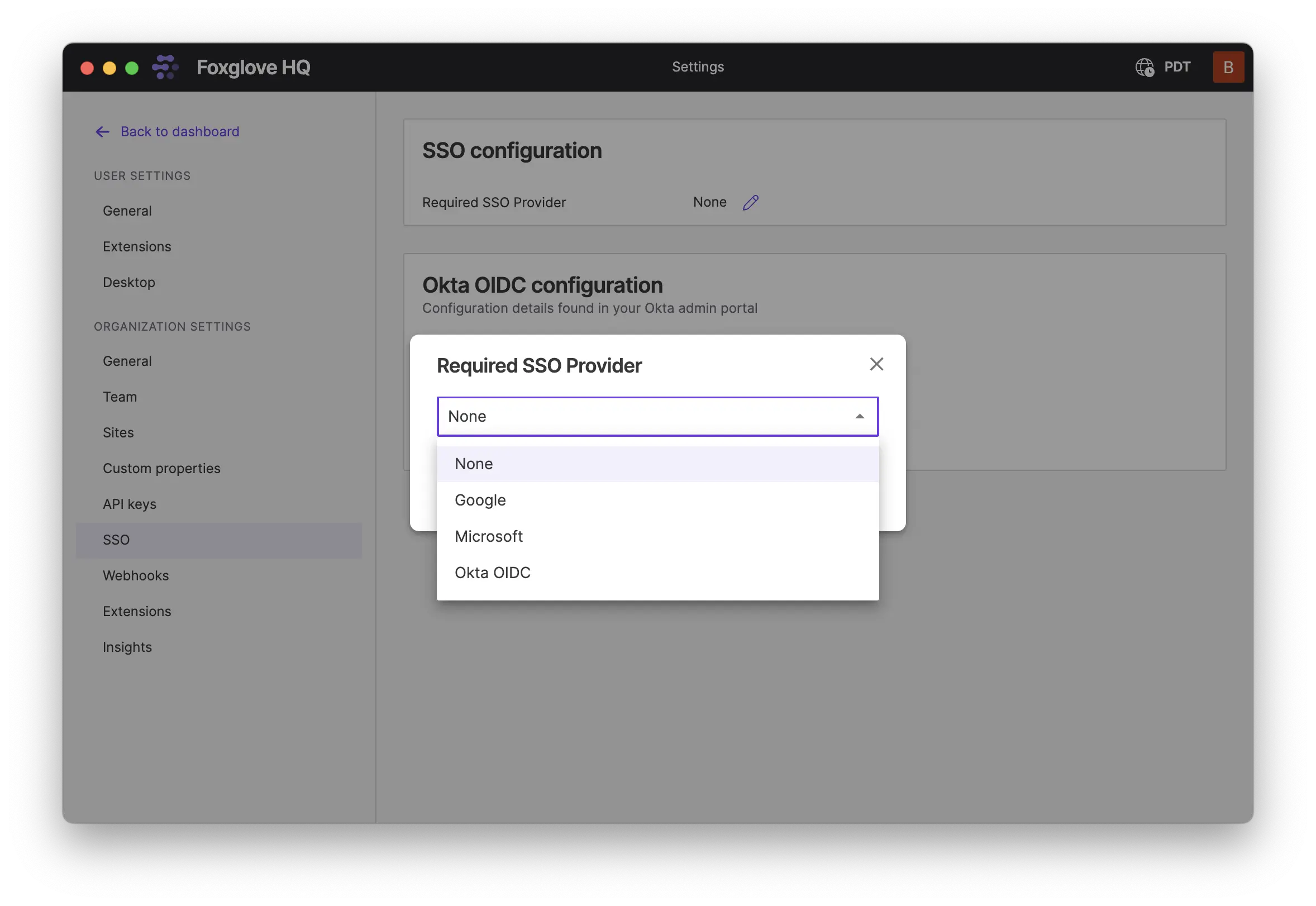
If you're on a Foxglove Team or Enterprise plan, you can now set a required SSO method for users to log in with. Available methods are Google, Microsoft, or Okta. To configure a required SSO provider, go to Settings and under Organization Settings select SSO.
New & Improved
- Added helpful error messages and help text if invalid math modifiers are used
Performance
- Minor performance improvement to transform handling
Fixes
- Improved the user experience when invalid filters are applied to the recordings list view
- Fixed an issue where video decoding errors were not being caught and handled
- Fix a bug with deserializing FlatBuffer unions
- Fixed an issue where menu items in the Service Call panel settings were occasionally cut off
- Fixed an issue where MCAP files with empty chunks might fail to load
- Extension readme files containing relative image paths now display correctly
Downloads: Linux: deb amd64 arm64, snap amd64 | Windows: Universal | Mac: Universal
Primary Site v0.0.43
Agent v1.1.4
👀 Automatically detect which files are ready for upload
The Foxglove Agent will now automatically ignore incomplete MCAP files in the watched directory. See the Foxglove Agent docs for more details.
New & Improved
- The Foxglove Agent will now ignore incomplete MCAP files while watching and reconciling recordings
Docs: About, Install | Debian Packages: amd64, arm64 | Binary Files: amd64, arm64
Foxglove v2.8.0
📰 Publish organization extensions from UI
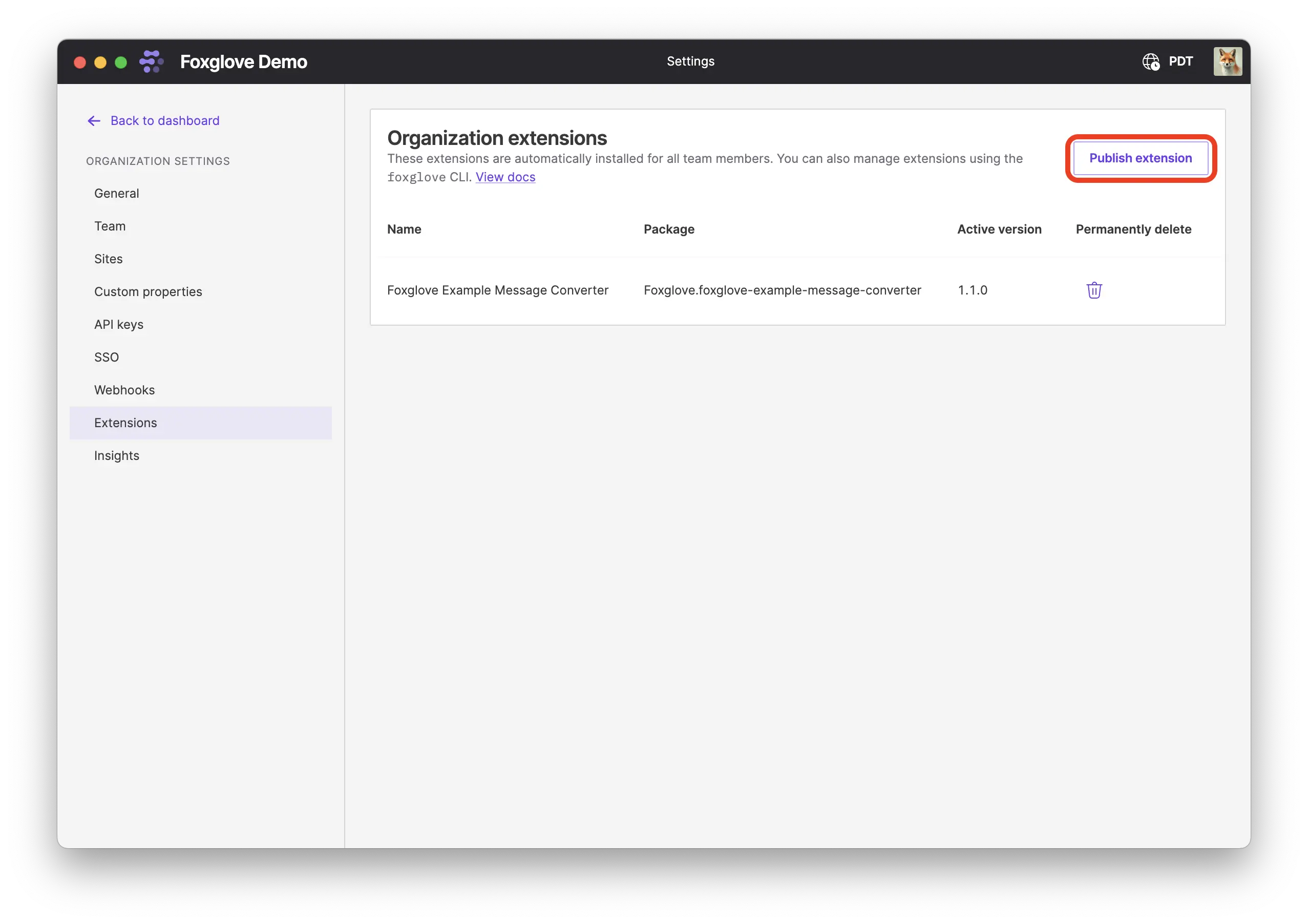
You can now publish an extension to your organization directly from the organization extension settings page, without using the CLI.
📈 Better data visibility with scatterplots
Scatter plots now show the X and Y value of data you've hovering over in the tool tip and legend.
✂️ Trim and select topics while exporting
When you download a recording from Foxglove, you can now select which topics you want to export and trim the time range. This functionality is already available via the /data API and the Timeline page.
New & Improved
- The Layout menu now highlights and automatically opens to prompt you to select a layout if you've ended up in a state with no layout
- Messages sent via the Foxglove WebSocket protocol now populate
MessageEvent.publishTimewith the time the message was sent by the server
Performance
- Performance improvements for reading local MCAP files
- Improved handling for viewing large, deeply-nested objects in the Raw Message panel
Fixes
- Fixed an issue where recordings associated with a device were not showing in the recents list
- The Log panel now correctly respects changes to the time zone and timestamp format settings
- In the User Script editor, IntelliSense hover overlays are no longer cut off at panel edges
- Edge Site imports on the timeline now correctly update as data is imported
- Fixed an issue with deserializing messages containing unions
API
- The
/site-tokensAPI is now available for API key access
Downloads: Linux: deb amd64 arm64, snap amd64 | Windows: Universal | Mac: Universal
Primary Site v0.0.42
Edge Site v0.0.27
Foxglove v2.7.0
🛎️ List available services from ROS and custom Foxglove WebSocket connections
When streaming live data for visualization over the Foxglove bridge, the available services are now listed in the Service Call panel.
☁️ Quickly access recent cloud data sources
Recently accessed cloud data sources will now show in the "recent sources" list on both the dashboard and the left-hand menu. These sources will be marked with a ☁️ icon.
🔗 Construct shareable links using your device name
You can now create shareable links using ds.deviceName to refer to data associated with one of your devices using the name you gave it in Foxglove. For example, to create a shareable link that visualizes data from my-device between specified start and end times with the layout ID abc123, use the following parameters:
ds.deviceName=my-device
ds.start=2024-04-18T16:26:41.371Z
ds.end=2024-04-18T16:30:51.055Z
ds.layoutId=abc123
The URL will look like this and can be shared with anyone in the my-org organization:
https://app.foxglove.dev/my-org/view?ds=foxglove-stream&ds.deviceName=my-device&ds.start=2024-04-18T16%3A26%3A41.371Z&ds.end=2024-04-18T16%3A30%3A51.055Z&layoutId=abc123
Note that parameters must be URL encoded, so for example 2024-04-18T16:26:41.371Z becomes 2024-04-18T16%3A26%3A41.371Z.
🍎 Performance gains on macOS
The Foxglove desktop app on Mac now uses Metal, a high-performance graphics API developed by Apple. By using Metal, we're now able to reduce CPU overhead and get nearly direct access to GPU resources for significant performance gains.
New & Improved
- When adding a 3D panel, a grid is now automatically added to the scene to make the ground plane clear
- Added support for streaming schemaless JSON topics
- If the same recording is uploaded twice for one device with two different recording
keyvalues, the duplicate is now assumed to be an error and is rejected - We've unified timezone settings between data management and visualization
- The Raw Message panel now displays human-readable enum values when viewing vectors of enums typed as uint8 from flatbuffer data sources
Performance
- Performance improvements for preloading topics
- Improved memory estimation to reduce out-of-memory issues with data containing high-frequency signals and large numbers of message fields
Fixes
- Fixed an issue that resulted in numerous app upgrade notifications on desktop
- Fixed an issue where double-clicking an MCAP file to open it with the desktop app would not add it to recents
- Fixed an issue with timeseries plot dataset preloading
- Fixed an issue with message converters being called more frequently than necessary for preloaded topics
- Fixed an issue causing some User Scripts to fail
API
- The
retainRecordingsSecondsproperty for Edge Sites on the/sitesAPI has been updated to intepret0as indefinite retention period
Downloads: Linux: deb amd64 arm64, snap amd64 | Windows: Universal | Mac: Universal
Foxglove v2.6.1
Primary Site v0.0.41
🗂️ Sorting messages by log time
The inbox listener will now sort messages in files by their log time while importing. This means that if messages are recorded out of order because of multithreading, clock skew, or other reasons, they can still stream back in time-stamp order. See the inbox listener configuration documentation for configuration options.
New & Improved
- Updated the inbox listener so if a file is provided with an invalid device name or ID, the import will fail immediately rather than being retried repeatedly
- Added support for importing and streaming MCAP files containing channels with schema ID 0 (no schema)
Fixes
- Fixed an issue where the stream server would exit uncleanly and log an error then the
SHUTDOWN_TIMEOUTwas exceeded while waiting for open requests to complete after being sentSIGTERM